
Getting Started in Bomb Farm
From the Steam install to your first Easy clear in Dawn Quarry.
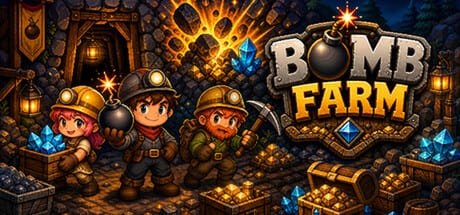
Bomb Farm is a free-to-play idle RPG on Steam. Stream On shipped it on 28 August 2026. The first hour is not a boss fight. It is account setup, a pinned overlay, and one Easy clear in Dawn Quarry so House, Ritual, and Map stop looking like empty rooms.
This page is the onboarding checklist. For the daily loop after that checklist, use How to Play. For mouse-only and keyboard-only options, use Controls.
What you need before Battle
Steam lists Windows 10 or 11 (64-bit), a dual-core CPU from the last decade, 4 GB of RAM (8 GB recommended), integrated graphics with Vulkan 1.0 or OpenGL 3.3, DirectX 11, about 1 GB of disk, and a broadband connection. The store also flags a third-party BombFarm account that can link to Steam. That is why the client needs the network even though Battle itself is single-player. Full hardware notes live on system requirements.
Family Sharing, Steam Cloud, and 21 achievements are on the store page. In-app purchases exist. Official copy says the studio does not sell power or loot boxes. Treat any crystal pack as optional convenience until you have read the review and decided you like the loop.
Install, EULA, overlay
- Open the Steam store page and install the client.
- Accept the Bomb Farm EULA.
- Create or link the BombFarm account when the client asks. Do not skip this; Market and cloud saves expect it.
- Launch the game. You should see a compact window with a gold header, a gold counter, and eight tabs along the bottom: Inventory, Heroes, Battle, Ritual, Abilities, Map, House, Market.
- Use the pin control in the header if you want the window to stay above the desktop. Launch players describe the same overlay habit as older taskbar idlers. That is the intended posture, not a bug.
Steam accessibility tags include mouse-only, keyboard-only, play at your own pace, save anytime, and playable without timed input. You can leave Battle running while you work. The controls guide lists what those tags mean in practice.
First Battle: Easy, Dawn Quarry
Open Map. The left column is zone select. At launch the five named worlds are Dawn Quarry, Deep Roots, Deep Glacier, Iron Depths, and Crystal Abyss. Dawn Quarry should be available. The right column is challenge select with five starred tracks: Easy, Normal, Hard, Very Hard, Inferno. Start on Easy.
Switch to Battle. The grid is a top-down field of grass, trees, rocks, and resource veins. Your squad walks and bombs automatically. A stage label such as 2-9 means world two, node nine; your first run will be in world one. Let the squad finish nodes until Dawn Quarry’s bar reads complete. Do not raise difficulty during this pass.
Watch the dock under the window. It shows the active squad and a chest counter. If a hero drops out of the dock, they ran out of energy. That is the cue to open House, not to buy anything.
House before you greed
House is a room of capsules. Launch UI shows a 3×3 pod grid, several of them locked, plus upgrade rows for recovery speed and maximum hero slots. Rarity tracks on the right count Uncommon, Rare, Epic, Legendary, and Mythic toward a 20-step bar. Park your first drops in empty capsules. Raise recovery speed before you raise difficulty. The energy guide explains why three teams exist: Steam copy tells you to switch teams so the mine keeps running while one squad rests.
Do not fuse your only Uncommon bomber on day one. Fusion and stars belong to Ritual after you can replace the body.
Ritual, Abilities, Market — peek, do not binge
Ritual is the forge and altar. You will see a blacksmith, sealed drops, potions, armor pieces, and upgrade values such as +4 or +10. Official copy says you upgrade items from +0 to +15, reveal sealed drops, and collect stars by fusing duplicates. Spend a little, not everything, until How to Play has walked you through a full rotation.
Abilities is the account skill tree. It is large on purpose. Put early points into gold or slot nodes only if they unlock a bottleneck you already felt. A full routing page is the skill tree guide.
Market is the Steam Community Market tab, not an in-game auction house with its own currency. Read Steam Market before you list your first rare. Multi-account abuse is something the developer has already warned about in public posts. A temporary all-player Marketplace window is on Marketplace Open; capsule layout is on House.
First-hour checklist
- Client installed, BombFarm account linked, overlay pinned.
- Easy selected, Dawn Quarry started.
- One squad on Battle, empty House pods noted.
- No Inferno, no panic fusion, no Market dump.
- Next read: How to Play, then progression.
If Battle feels slow, that is normal. Bomb Farm is built for months of progression, not a same-day Inferno badge. The tier list is for later, when you have more than one role in the dock.
Frequently Asked Questions
Quick answers to the most common questions.
Why does Bomb Farm ask for a second account?
Steam lists a BombFarm account that can link to Steam. Cloud, Market, and anti-abuse tools sit on that account. Link it during first launch.
Can I play Bomb Farm offline?
The store requires broadband. Battle is single-player, but the client still talks to BombFarm services. Plan on a connection.
Which difficulty should I pick first?
Easy. Clear Dawn Quarry, then read progression before Normal.
Where do I put tired heroes?
House capsules. Raise recovery speed and keep a second squad ready. Details are in energy rotation.
Is there a tutorial video?
A verified PT-BR start video is embedded mid-article. Steam still hosts the gameplay trailer. English long-form was not on YouTube at research time.